“Beginner friendly” is arguably the most ambiguous phrase in consumer technology. In the world of additive manufacturing, it often masks a steep learning curve. Novices frequently expect an appliance-like experience, similar to using a microwave or a refined inkjet printer.


However, the reality of 3D printing involves material science, mechanical calibration, and file preparation. True friendliness is not about dumbing down the technology. It is about minimizing the friction between a digital file and the final physical object. It transforms troubleshooting into a predictable process.
The Assembly and Calibration Myth
First impressions are dictated by the unboxing experience. A machine that requires hours of tightening eccentric nuts and routing cables is a kit, not a consumer product. For a novice, the best 3d printer functions as a cohesive unit right out of the box.
Structural Integrity
If a user has to square the frame with a machinist’s square before printing, the barrier to entry is too high. Rigidity is crucial. A pre-assembled, sturdy frame eliminates the variables caused by loose screws or misaligned gantries.
Automated Calibration
Manual bed leveling is the primary reason beginners quit. Using a piece of paper to gauge nozzle distance is archaic. A truly accessible machine uses strain gauges or LiDAR to create a mesh of the print surface automatically.
This creates a “mesh” of the bed’s topology. The printer then compensates for microscopic unevenness in real-time. This ensures the first layer sticks without human intervention, removing the biggest variable in printing success.
The Nuances of Resin Technology
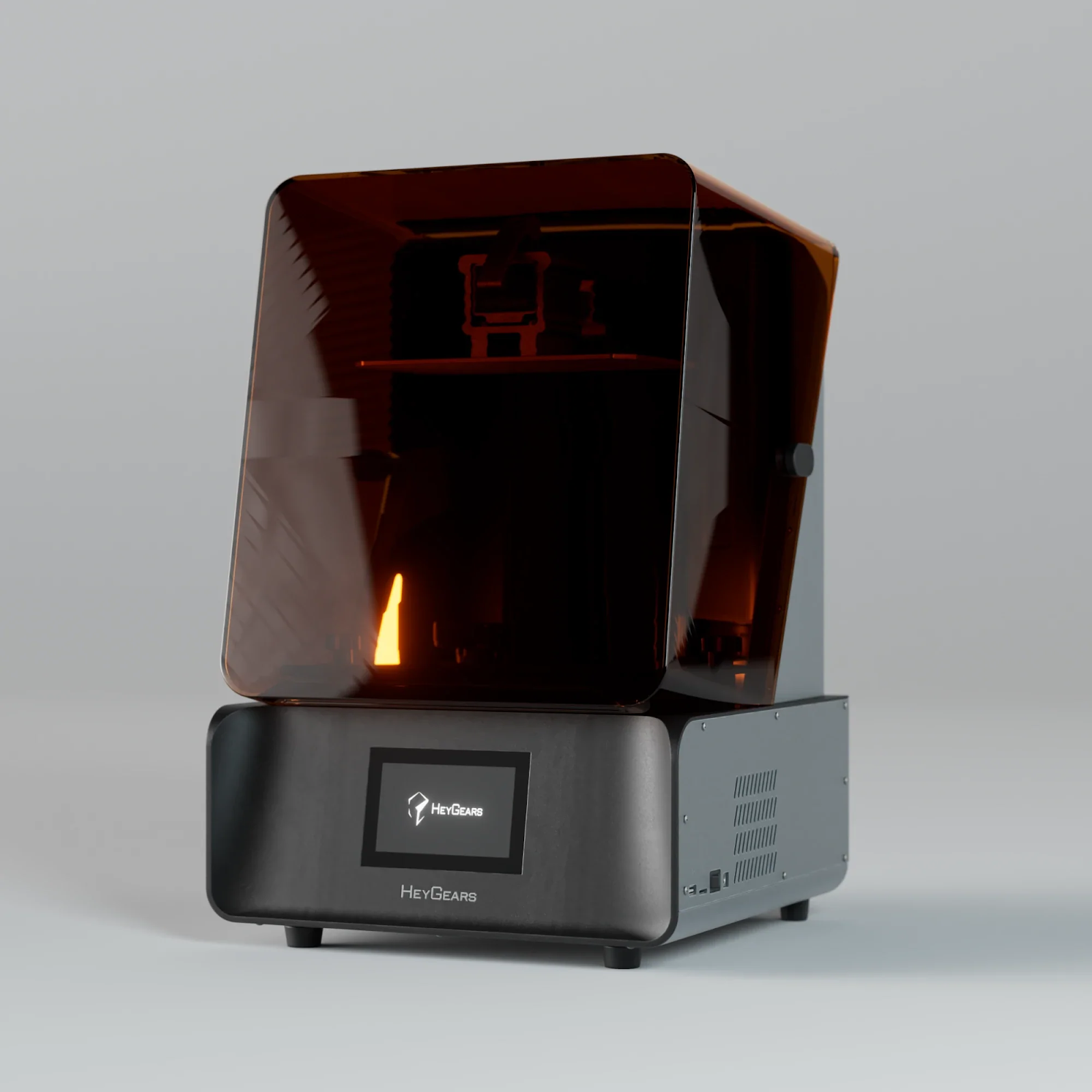
When users demand high-detail miniatures or jewelry, the conversation shifts to stereolithography (SLA). However, the chemical nature of this process introduces complexity. A resin 3d printer operates differently than filament-based machines.
Here, “friendly” translates to safety and containment. Dealing with liquid photopolymers can be messy and toxic. Beginner-oriented machines must feature enclosed systems that actively filter volatile organic compounds (VOCs).
Furthermore, post-processing is mandatory. The transition from the printer to the washing and curing stations should be seamless. Systems that minimize physical contact with uncured resin are superior. Automated feeding mechanisms that refill the vat also reduce the risk of spills.
Software as the Invisible Hurdle
Hardware is useless without a slicer—the software that translates 3D models into machine code. Complex interfaces with hundreds of unexplained parameters like “jerk settings” or “retraction speed” are intimidating.
Smart slicing algorithms are the hallmark of modern usability. The software should analyze the model and automatically suggest optimal orientation. It needs to generate support structures that are strong enough to hold the print but easy to remove.
Cloud integration effectively removes the friction of physical media. Sending files directly over Wi-Fi is a basic expectation today. Moving SD cards back and forth between a computer and a printer feels outdated and adds unnecessary steps.
Reliability Defining the Experience
Consistency defines the user experience. It is not about raw speed; it is about the success rate. If a user has to babysit the machine, it is not user-friendly.
Key reliability features include:
- Filament/Resin Detection: The machine must pause automatically when material runs out and resume seamlessly after refilling.
- Power Recovery: A power outage shouldn’t ruin a 20-hour print job.
- Self-Diagnosis: The system should detect potential failures, such as a clogged nozzle or a stuck motor, before they cause damage.
If a printer fails one out of three times, it requires expert troubleshooting skills. This forces the beginner to become a technician, defeating the purpose of the purchase.
Maintenance and Long Term Ownership
Beginners often forget that these are mechanical devices that wear out. FEP films degrade, nozzles clog, and LCD screens burn out.
Accessible design allows for quick maintenance. Users should be able to swap a nozzle or a screen without disassembling the entire print head. Quick-release mechanisms for build plates and vats are essential design choices.
Proprietary parts are often criticized by enthusiasts, but for beginners, they offer safety. Knowing exactly which part to buy and having it fit perfectly is often worth the trade-off in flexibility.
Conclusion
Finally, a “beginner friendly” printer is one that respects the user’s time. It does not demand a degree in engineering to operate.
It provides a safety net through automated calibration and intelligent software. It manages the mess of materials and ensures safety. If the machine requires you to fight it to get a result, it failed its primary job. Friendliness is simply the absence of unnecessary friction.