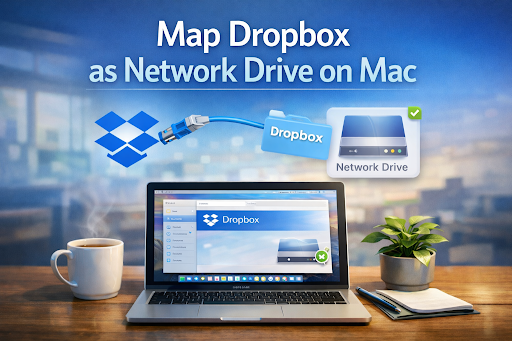
Dropbox is easy to use, but many Mac users want more control over how their files appear on their computer. Opening a browser or relying only on syncing can feel limiting. Mapping Dropbox as a network drive helps you work with cloud files just like regular folders on your Mac.


This article explains how Dropbox works on macOS, how to map it as a network drive, what features matter most, and how to fix common issues.
Dropbox Client
A Dropbox client is the tool that connects your Mac to your Dropbox account. It allows you to see your files, open them, and make changes that are saved online.
When Dropbox is mapped as a network drive, files are not forced to sync fully to your computer. Instead, they appear when you need them, which helps save disk space and keeps your system clean.
Any Number of Dropbox Accounts
Some users have more than one Dropbox account, such as one for personal use and another for work. A good network drive setup allows you to access multiple accounts at the same time.
Each account can appear as a separate drive or folder. This makes it easier to keep files organized and avoids mixing personal and work data.
Safe Access to Dropbox
Security is important when working with cloud files. A proper network drive connection ensures that your data stays protected while you work.
Access is granted only after you sign in, and files are transferred securely. This helps prevent unauthorized access to your Dropbox data.
Keep Safe Web Protocols
Dropbox connections use secure web protocols to protect your files during transfer. These protocols encrypt data, which means information is scrambled while moving between your Mac and the cloud.
This keeps your files safe from being read by others during upload or download.
Why Users Love Commander One
Many Mac users prefer Commander One because it feels simple and familiar. It allows Dropbox to be mounted as a network drive without forcing full file syncing.
Users like it because it keeps their Mac storage free while still giving full access to cloud files. The interface is clear, which helps beginners feel comfortable.
Use of macOS Keychain
macOS Keychain stores login details securely on your Mac. When Dropbox is connected, your credentials can be saved in Keychain.
This means you don’t need to type your password every time. It also protects your account information using built-in system security.
Flawless Integration with Finder
Finder integration is one of the most important features for Mac users. When Dropbox is mapped, it appears in Finder like a normal drive.
You can drag files, rename folders, and move data just as you would with local files. Many users who already know how to add google drive to finder mac look for the same smooth experience when working with Dropbox.
Offline Mode
Offline mode allows you to access selected files without an internet connection. You can choose which files stay available on your Mac.
This is useful when traveling or working in places with unstable internet. Once you reconnect, changes are updated automatically.
How to Map Dropbox as a Network Drive on Mac
First, install a file manager that supports cloud mounting. Open the app and choose Dropbox from the list of cloud services.
Sign in to your Dropbox account and allow access. After that, Dropbox appears in Finder as a mounted drive, ready to use like a local folder.
Native Dropbox App Limitations
The native Dropbox app focuses on syncing files to your Mac. This can take up a lot of storage, especially with large folders.
It also limits how many accounts you can use at once. Mapping Dropbox as a network drive avoids these issues by streaming files instead of syncing everything.
Mounting Shared Folders
Shared folders can also be mounted as part of your Dropbox drive. Once connected, shared content appears alongside your own files.
You can open, edit, and organize shared folders without changing your workflow. This makes collaboration easier and clearer.
Troubleshooting Common Mount Issues
If Dropbox does not appear in Finder, restarting the app usually helps. Make sure your internet connection is stable and you are signed in correctly.
Slow file access often means large files are loading online. Mark important files for offline use to improve speed and reliability.
Conclusion
Mapping Dropbox as a network drive on Mac makes cloud storage easier and more flexible. You can work with files in Finder, save disk space, and manage multiple accounts smoothly.
For beginners, this setup removes confusion and keeps file management simple. With the right approach, Dropbox can feel just like a normal drive on your Mac.
Frequently Asked Questions
Can Dropbox Sync to a Network Folder?
Dropbox does not natively sync to external network folders. It is designed to sync to a local folder on your Mac.
Using a network drive approach allows access without full syncing, which solves this limitation.
How Do I Download Files from Dropbox to My Computer?
You can drag files from the mounted Dropbox drive to any local folder. This downloads a copy to your Mac.
Files marked for offline use are also stored locally and available anytime.