
In today’s fast-paced digital world, where information technology (IT) shapes nearly every aspect of our lives, it’s easy to forget the value of unplugging—even briefly—for something mentally stimulating yet simple. That’s where an IT wordsearch comes in. This seemingly old-school activity isn’t just child’s play—it can be an excellent tool for learning, stress relief, and even team building in tech-driven environments.


Whether you’re an IT student, tech professional, teacher, or someone who just loves solving puzzles, an IT wordsearch can challenge your vocabulary, enhance your memory, and help reinforce industry knowledge. Let’s dive into the world of IT wordsearches and explore why they’re more than just a leisure activity.
What Is an IT Wordsearch?
An IT wordsearch is a classic word puzzle where players search for hidden terms related to information technology within a grid of letters. The words can be arranged horizontally, vertically, diagonally, and sometimes even backward. Unlike general wordsearch puzzles, this one is focused entirely on technology-related vocabulary.
Some of the words you might find in an IT wordsearch include:
- Firewall
- Encryption
- Cloud
- Algorithm
- Server
- Protocol
- Database
- HTML
- Bandwidth
- Cybersecurity
These puzzles serve dual purposes: entertainment and education. While your brain works to identify the words, you’re also reinforcing your understanding of key IT concepts and terminology.
Why IT Wordsearches Are Valuable Learning Tools
While at first glance a wordsearch may seem like a simple pastime, its cognitive and educational benefits are well-documented—especially when themed around a professional field like information technology.
1. Vocabulary Reinforcement
If you’re studying IT or working in the field, there’s no shortage of jargon to learn. An IT wordsearch helps reinforce this specialized vocabulary in a fun, non-pressurized way.
- Students can use it to review before exams.
- New employees in tech companies can use it as a light introduction to the language of IT.
- ESL (English as a Second Language) learners in tech fields can build fluency.
2. Memory and Cognitive Function
Solving puzzles like wordsearches helps enhance:
- Visual recognition
- Pattern matching
- Short-term memory
This brain exercise supports long-term retention of industry-specific terms—perfect for IT professionals who constantly absorb new technologies.
3. Stress Relief and Focus
IT jobs can be mentally taxing, with long hours in front of screens and high-pressure tasks. Engaging in a short, focused puzzle like an IT wordsearch can provide a mental break that refreshes the mind without losing productivity entirely.
How to Create Your Own IT Wordsearch
Creating a custom IT wordsearch isn’t just easy—it’s fun! Here’s how to do it.

Step 1: Choose Your Word List
Start by gathering a set of relevant IT terms. Here’s a list to get you started:
- Binary
- Cache
- Compiler
- Cookie
- Debug
- DNS
- Ethernet
- Gateway
- IP Address
- Java
- Kernel
- LAN
- Mainframe
- Network
- Node
- Operating System
- Python
- Router
- Script
- Trojan
You can customize the list depending on your audience—beginners, advanced users, or even cybersecurity enthusiasts.
Step 2: Use a Puzzle Generator
There are many free online tools where you can input your word list and generate a puzzle instantly. Some popular options include:
- Discovery Education Puzzle Maker
- PuzzleFast
- TheWordSearch.com (you can even publish your puzzle for others)
Step 3: Print or Share
Once created, you can:
- Print it out for classrooms or team-building sessions.
- Save it as a PDF for remote learning.
- Embed it in a webpage or digital newsletter.
Creative Uses for IT Wordsearches
Beyond personal fun or solo practice, IT wordsearches have many applications:
In the Classroom
Teachers can use these puzzles to:
- Reinforce weekly vocabulary.
- Break the ice at the beginning of a new IT course.
- Provide a non-graded activity that still promotes learning.
At the Office
Incorporate an IT wordsearch into team activities or onboarding:
- Include them in welcome kits for new IT hires.
- Use them during breaks at tech conferences or hackathons.
- Add them to monthly newsletters to foster a sense of community.
For Online Learning
E-learning platforms can integrate interactive wordsearch puzzles into their courses to:
- Improve engagement.
- Add gamification to learning modules.
- Provide a tactile reinforcement method for key terms.
Taking It Further: Gamified IT Learning
If you’re a fan of wordsearches, consider exploring other puzzle formats that can enhance your IT knowledge:
- Crosswords: Dive deeper into concepts with clue-based word recall.
- Word Scrambles: Challenge your spelling and memory.
- Flashcard Games: Great for mastering acronyms like HTTP, FTP, or VPN.
- Escape Room Challenges: Use a series of puzzles, including wordsearches, to simulate cyber incidents or IT scenarios.
You can even integrate IT puzzles into training modules, making compliance or security awareness fun instead of tedious.
Tips for Solving IT Wordsearches Faster
Want to level up your puzzle-solving skills? Use these tips:
- Scan for Unique Letters: Look for letters that are less common (like “X” in “proxy” or “Z” in “zip”).
- Search Word by Word: Focus on finding one word at a time rather than scanning randomly.
- Check All Directions: Remember, words can go backward or diagonally.
- Use a Highlighter: If solving on paper, highlighting helps reduce double-checking the same lines.
- Take Breaks: Give your eyes a rest—especially important if you’re solving after screen-heavy work.
Digital vs. Print: Which Is Better?
There’s no right or wrong answer, but each has its strengths.
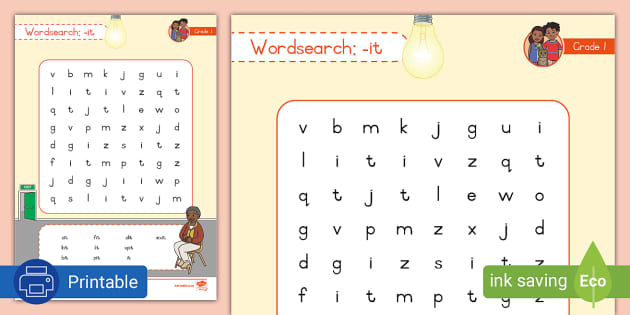
Digital IT Wordsearches
- Interactive
- Auto-correcting
- Good for online classes or mobile users
Printed IT Wordsearches
- Great for screen breaks
- Tangible and easy to distribute
- Ideal for classrooms or conference handouts
Why not use both depending on the context?
Conclusion: More Than Just a Puzzle
An IT wordsearch might appear like a simple word game, but it holds surprising value. Whether you’re a teacher, learner, professional, or just a puzzle enthusiast, these engaging grids offer a unique way to reinforce knowledge, build vocabulary, and enjoy a mindful mental break.
So next time you’re feeling overloaded by code, data, or screens, grab an IT wordsearch. You might just sharpen your brain while having fun.