Meta Kuwait can save you hours—if you set it up right. Most failed submissions come from avoidable errors: mismatched names, the wrong service, or photos that don’t meet specs. This guide highlights the seven most common mistakes and shows quick, practical fixes so your bookings go through the first time.


1) Set up Meta with clean identity data
The most frequent blocker is a name mismatch between your passport, any residency record, and what you typed during sign-up. Hyphens, extra spaces, or swapped name order can trigger silent validation errors later.
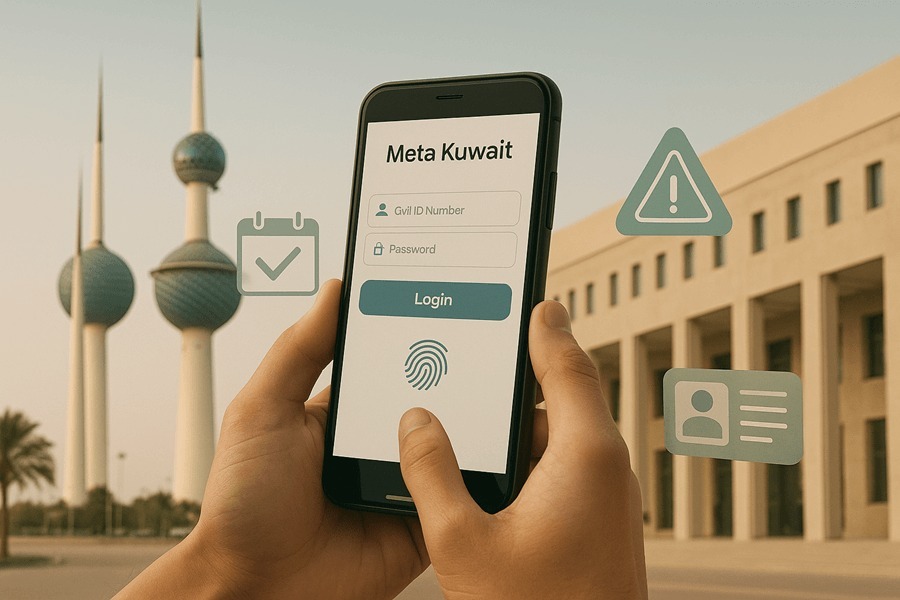
Use your full legal name exactly as on your passport (and Civil ID, if issued). Stick to one spelling across all fields. If you’re unsure about the sign-up flow or need a plain-English walkthrough, see Meta Kuwait Registration, Login, and Appointments. It covers login, OTP confirmation, and where to update profile details after the first sign-in.
Another setup trap: the wrong phone number format. Meta relies on SMS for OTPs and booking confirmations. Enter your Kuwait mobile with the correct leading digits, keep the SIM active, and enable notifications. If OTPs don’t arrive, move to stronger signal, toggle airplane mode for 10 seconds, then request a new code.
2) Booking the wrong service, branch, or time window
Selecting “any appointment” to get a fast slot often backfires. Services are not interchangeable even when they sit in the same building. A residency counter won’t accept a PACI slot, and vice versa.
Read the service description in Meta carefully. Choose the exact service, then the correct branch for your governorate. Give yourself 60–90 minutes between appointments on the same day; that buffer covers queues, traffic, and retakes. If a slot conflicts, reschedule instead of cancelling—reschedules often preserve queue priority at the chosen branch.
3) Uploading a photo that fails PACI or ministry specs
A common reason for rejections is a photo that looks fine on your phone but fails automated checks: busy background, shadows, or over-edited images.
Follow the official rules: neutral background, correct size ratio, eyes open, no heavy retouching or filters, and no headgear unless religious or medical with face fully visible. Bring two printed photos that match the digital file; some counters still request paper even when you uploaded online. If your photo is rejected, retake with proper lighting against a pale wall and avoid compression that causes artifacts.
4) Missing, expired, or inconsistent documents
Another cause of failure is uploading an outdated tenancy, an expired passport, or a scanned page that is cropped or blurry. Systems may accept the upload yet fail later at the counter.
Before you book, assemble one digital folder with clear file names: Passport_bio.jpg, Residency_page.pdf, Tenancy_2025.pdf. Check expiry dates and that Arabic/Latin spellings match across documents. If a document is being renewed, delay the submission until you have the new copy; partial files tend to stall processing.
5) Submitting before medicals or residency are actually cleared
For services that depend on another step (e.g., final residency after medical fitness), Meta will still let you book—but your file may sit in limbo if the prerequisite isn’t recorded yet.
Confirm medical fitness results and sponsor paperwork are marked as received before you submit or attend. If you need to verify a result online, do it first to avoid a wasted trip. When you’re sure the backend shows “cleared,” proceed to the next booking.
6) Biometrics day mistakes that break the chain
Fingerprints fail for simple reasons: lotion, wet hands, fresh henna, or tiny cuts. If the scanner can’t capture all ten prints, your downstream requests can’t complete.
On the day, keep hands clean and dry, avoid hand creams, and cover any small cuts if allowed. Wear sleeves so you can roll them up for ID checks. For timing, documents, and queue strategy at the fingerprint center, this step-by-step reference helps: Kuwait Biometric Appointment.
7) Ignoring system messages and status changes
Many users miss in-portal messages about missing fields or corrected time slots. If you don’t respond, the request can lapse without an obvious error.
Check your Meta dashboard the evening you book, the day before, and the morning of your appointment. If a message asks for a re-upload or clarification, fix it immediately and re-confirm the slot. Keep SMS and email notifications enabled.
Fixes at a glance (quick reference)
| Mistake | Symptom | Fast fix | Next step |
| Name/ID mismatch | “Invalid data” or silent rejection | Match passport/Civil ID exactly; update profile | Re-submit the same request |
| Wrong service/branch | Counter refuses your slot | Rebook the exact service at the correct branch | Leave 60–90 min between bookings |
| Bad photo | Upload accepted but later rejected | Retake with neutral background and proper lighting | Carry two printed copies |
| Expired/blurred docs | File stalls or needs “verification” | Re-scan in high quality; check expiry | Rename files clearly and re-upload |
| Prerequisite not cleared | “Pending” for days | Verify medical/residency status first | Submit only after status updates |
| Biometrics capture fails | “Incomplete fingerprints” | Clean/dry hands; avoid creams/henna; retry same day | Keep the receipt and reference |
| Missed portal message | Lapsed slot or missing field | Check dashboard and SMS before travel | Reschedule instead of cancel |
Practical sequencing that saves time
Use one morning for two appointments in the same district rather than three scattered across the city. Start with the earlier-closing office first. Keep a small pack: passport, residency page, two photos, tenancy, and photocopies. If a system is down, ask staff whether a manual receipt or same-day recapture window is available before you leave.
FAQ
Can I create a Meta account without a Civil ID?
In most cases, yes. Use your passport details and a Kuwait mobile number to register. Some services, however, require Civil ID verification at the time of booking or at the counter.
What if OTPs never arrive?
Confirm your number format, test in a strong-signal area, and try again after a short wait. If you recently ported your number, restart the phone and request a fresh code.
Is it safe to book multiple services on the same day?
Yes—if they’re in the same district and you leave buffers between slots. Always prioritize the service with the earlier closing time.