


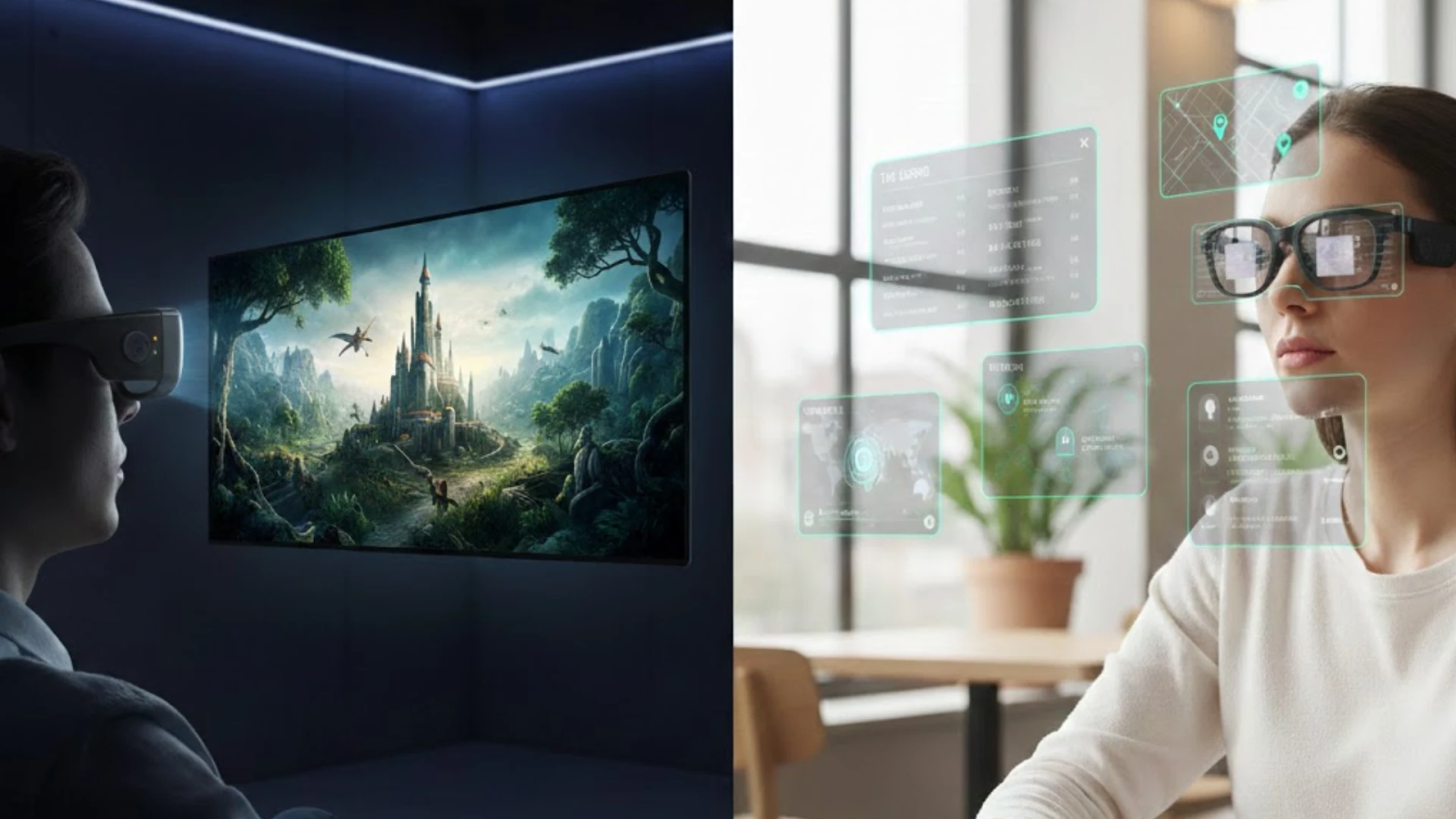
A phone, earbuds, a portable charger, a dedicated translation device, a GPS mount, and maybe an action camera. That is six gadgets before your laptop enters the picture. The newest generation of AI glasses raises a practical question: can one device realistically absorb some of those roles?


Using smart glasses for work is not a new idea, but execution varies widely across the current market. The RayNeo X3 Pro takes a broader approach than most — combining AI, an AR display, a camera, translation, and navigation in a 76-gram titanium frame.
The Hidden Cost of Device Overload
Every extra device means another charger cable, another app to manage, and another firmware update to track. For anyone who has tested smart glasses for work, the appeal of consolidation is clear. Most options in 2026 address only a fraction of the problem:
- Audio-only frames replace earbuds but offer no visual display.
- Tethered AR glasses act as portable monitors but lack AI or a camera.
- Camera-equipped glasses capture photos but provide no on-lens information.
The RayNeo X3 Pro aims to cover more of that ground in a single device. Whether it delivers depends on how each function holds up against the standalone gadget it targets. AI glasses that attempt everything risk doing nothing particularly well — so specifics matter.
What the X3 Pro Covers
The glasses run RayNeo AIOS on a Qualcomm Snapdragon AR1 Gen 1 chip, with a binocular MicroLED waveguide display rated at 6,000 nits peak brightness and 3,500 nits average. That hardware is what lets a single pair of AI Glasses handle tasks that normally require several separate devices — though with trade-offs that deserve equal attention.
Translation, in Your Line of Sight
The X3 Pro supports real-time translation across 14 languages — including English, Japanese, Korean, French, and German — via synchronized audio, on-lens text overlay, and OCR photo scanning. RayNeo cites roughly 2.1-second response times as an internal specification. Among AI glasses with built-in displays, that combination of audio, visual, and photo-based translation is notably broad.
Navigation Without Constant Phone Checks
RayNeo pairs the X3 Pro with HERE WeGo for AR navigation, projecting color turn-by-turn directions onto the lens — though some third-party reviews have also noted Google Maps integration in practice. Either way, AI glasses with a visual heads-up layer may reduce the need to glance down at a phone screen, which is a practical advantage for pedestrians and cyclists.
Casual POV Capture
A 12MP Sony IMX681 sensor and an OV spatial camera sit in the frame, supporting video recording and 6DoF spatial tracking. The first-person perspective captures content more naturally than a chest mount or selfie stick. That said, Notebookcheck notes that image quality drops in challenging lighting and that the camera offers no digital zoom, so it fits casual POV recording better than a dedicated action camera.
From Display to Productivity Tool
The gap between a screen and a productivity tool is software intelligence. The X3 Pro bridges it by pairing its AR display with Google Gemini 2.5 — one of the few smart glasses for work that combine a transparent visual interface with multimodal AI reasoning in a standalone frame.
Gemini-Powered Contextual Assistance
Gemini 2.5 provides multimodal reasoning across voice, text, and vision simultaneously. Look at an unfamiliar object, ask a question, and the answer appears on your lens. During tasks like cooking, appliance repair, or equipment inspection, AI glasses with visual output can respond faster than pulling out a phone — though the 245 mAh battery limits sustained heavy use.
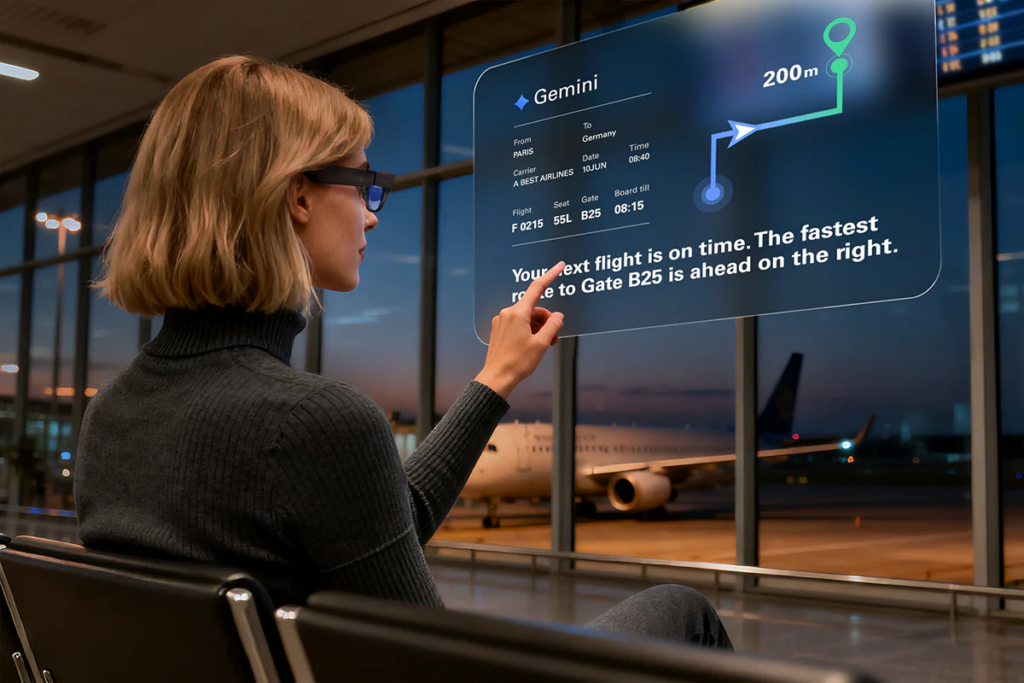
A Floating 43-Inch Equivalent Display
The MicroLED waveguide projects a screen equivalent to viewing a 43-inch display from two meters away, at a 30-degree field of view. Messaging apps like WhatsApp overlay your environment through RayNeo AIOS. For anyone evaluating smart glasses for work, a transparent heads-up display adds a productivity layer that audio-only frames cannot offer.
Voice-First Task Management
A built-in AI secretary handles to-do lists, memos, and scheduling through voice commands — say “Hey RayNeo” and the assistant logs your note hands-free. This reduces the habit of pulling out a phone mid-conversation. For back-to-back meetings or site walkthroughs, smart glasses for work with voice-first controls help maintain focus.
Where the X3 Pro Makes Trade-Offs
No pair of AI glasses in 2026 is free of trade-offs, and the X3 Pro is no exception. While the 245 mAh cell enables its lightweight build, battery life remains a practical consideration for heavy users. Here are the key constraints:
- RayNeo claims up to five hours of recording, though intensive real-world usage often requires mindful power management.
- The 30-degree field of view limits broader AR displays, but this naturally keeps your primary forward vision uncluttered.
- Prescription users need snap-on custom lenses through RayNeo’s optical partners, adding slight upfront cost for tailored visual clarity.
Smart glasses for work in a professional setting may also draw attention given the visible cameras. Setup requires a companion phone app, so the X3 Pro is more standalone than most competitors but not completely phone-free in every workflow.
How the X3 Pro Compares
The smart glasses market in 2026 splits into audio-first, display-first, and AI-first categories. Each competitor below excels in a specific area but makes different trade-offs:
| Feature | RayNeo X3 Pro | Ray-Ban Meta Gen 2 | Meta Ray-Ban Display | Even Realities G2 |
|---|---|---|---|---|
| Display | Binocular MicroLED waveguide | None | Monocular waveguide | Monochrome green waveguide |
| AI Engine | Google Gemini 2.5 | Meta AI | Meta AI | Even AI |
| Camera | 12MP + spatial camera | 12MP ultra-wide | Built-in | None |
| Translation | 14 languages (audio + text + OCR) | 6+ languages (no lens display) | Live translation + captions (4 languages) | 33+ languages (text captions) |
| Navigation | Color HUD (HERE WeGo) | None | Walking directions (maps still rough) | Basic turn-by-turn |
| Standalone | Mostly independent (setup via app) | Phone required | Phone + Meta AI app required | Requires app + Bluetooth + internet |
| Weight | ~76 g | ~49 g | ~68–70 g + Neural Band | ~36 g |
Ray-Ban Meta Gen 2
The Gen 2 is the most popular pair of AI glasses for everyday social use. Its camera and Meta AI handle photos, calls, and queries well, and battery life reaches roughly eight hours per charge. But without a display, all AI responses are audio-only — it cannot show smart glasses for work features like on-lens translation, navigation overlays, or visual notifications.
Meta Ray-Ban Display
Meta’s newest model adds a monocular waveguide display and a Neural Band wrist controller for gesture input. It brings AI glasses closer to true AR, but requires a phone and the Meta AI app for core functionality. Reviewers note that third-party app integration remains limited, and the device weighs around 68–70 grams before adding the Neural Band.
Even Realities G2
The G2 is the lightest option at roughly 36 grams and supports 33-plus language translation via text captions — broader language coverage than the X3 Pro. However, it lacks a camera entirely and uses a monochrome display. For users who prioritize lightweight all-day wear and live captions, smart glasses for work like the G2 may be preferable, though visual richness and POV capture go to the X3 Pro.
The Minimalist Trade-Off
Consolidating devices always involves compromise. The RayNeo X3 Pro covers more functional ground than most AI glasses in its class — spanning translation, navigation, AI assistance, a camera, and a transparent display — but battery life and field of view remain meaningful constraints.
For anyone assembling a minimalist tech setup around fewer but more capable devices, smart glasses for work have made genuine progress in 2026. The X3 Pro represents the broadest attempt at device consolidation yet — even if it has not fully arrived.









