Introduction
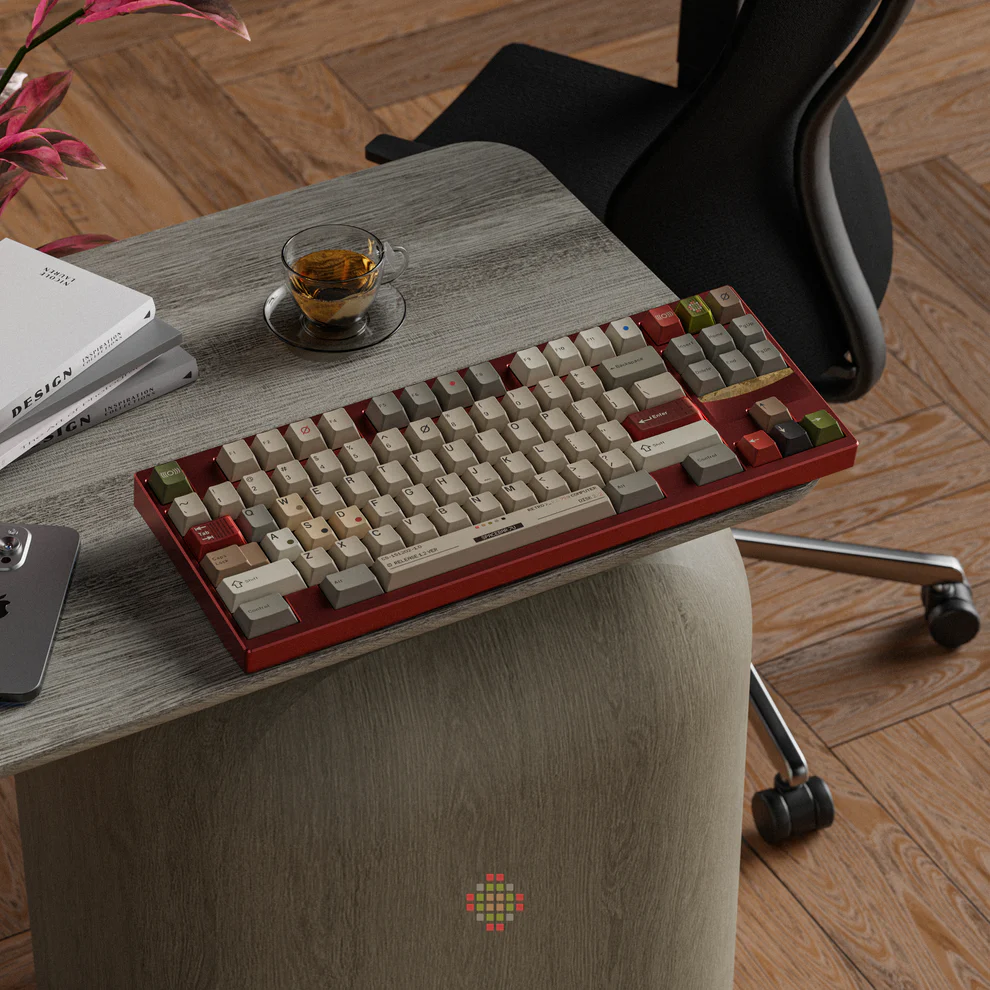
Mechanical keyboards have surged in popularity over the past decade, especially among gamers, programmers, and productivity enthusiasts. While many users focus on switches and key feel, one often overlooked component can dramatically impact both the typing experience and the aesthetic of your setup: keycaps. Understanding the types, materials, and designs of keycaps for mechanical keyboards can help you choose the right ones for your needs, whether for professional use, gaming, or casual typing. In this guide, we’ll explore everything you need to know to make an informed decision.


What Are Mechanical Keyboard Keycaps?
Keycaps are the removable caps on top of your keyboard switches that register your keystrokes. They are more than just cosmetic accessories—they influence typing comfort, sound, and overall feel. Unlike membrane keyboards, mechanical keyboards allow users to customize keycaps easily, swapping them out to achieve different aesthetics, textures, or ergonomic profiles.
For example, tactile or clicky switches often pair well with thicker PBT keycaps to reduce noise and enhance durability. Many users report that upgrading from stock ABS keycaps to high-quality PBT sets significantly improves the typing experience, particularly for prolonged use. Additionally, the legends printed or etched on keycaps can affect visibility in different lighting conditions, an important factor for gaming setups or office environments.
Explore a curated collection of keycaps for mechanical keyboards to find options that suit your setup.
What Materials Are Keycaps Made Of?
Mechanical keyboard keycaps are typically made from ABS (Acrylonitrile Butadiene Styrene) or PBT (Polybutylene Terephthalate), though other specialty materials exist.
| Material | Characteristics | Pros | Cons |
| ABS | Smooth, lightweight plastic | Often cheaper, easy to mold | Prone to shine over time, less durable |
| PBT | Dense, textured plastic | Durable, resistant to wear and shine | Slightly more expensive, limited colors |
| POM | Smooth, low-friction plastic | Good sound profile, durable | Can feel slippery for some users |
| Resin/Custom | Handmade or specialty materials | Unique designs, customizable | Expensive, fragile |
ABS keycaps are common in mass-market keyboards and are ideal for beginners or casual users. PBT keycaps are preferred by enthusiasts due to their longevity and resistance to shine after long-term use. Some high-end custom sets even use resin, metal, or wood, allowing for artistic expression while maintaining functionality.
Scenario Example: A programmer working 8+ hours daily may prefer PBT keycaps for their durability and consistent feel, while a casual gamer might enjoy ABS keycaps for vibrant colors and affordable customization.
How Do Keycap Profiles Affect Typing Experience?
Keycap profiles refer to the shape and height of the keycaps, which can influence typing speed, comfort, and accuracy. Common profiles include OEM, Cherry, SA, DSA, and XDA.
· OEM: Standard profile on most keyboards, slightly sculpted, suitable for general use.
· Cherry: Slightly shorter than OEM, favored for smoother finger travel and ergonomic typing.
· SA: Tall, spherical keycaps that provide a vintage feel, popular among enthusiasts.
· DSA/XDA: Uniform, flat keycaps, ideal for compact layouts or split keyboards.
Many users find that matching keycap profile to their typing style improves comfort. For instance, SA keycaps might feel satisfying for mechanical keyboard collectors, while Cherry or OEM profiles are practical for daily work or gaming.
User Insight: A 2022 survey of mechanical keyboard users showed that 62% preferred Cherry or OEM profiles for daily typing, highlighting a balance between comfort and speed .
How to Choose the Right Keycaps for Your Mechanical Keyboard?
Selecting the right keycaps depends on your priorities: typing feel, aesthetics, durability, and budget. Here are key factors to consider:
1. Switch Compatibility: Ensure the keycap stem fits your switch type. MX-style stems are standard, but others like Topre require specialized caps.
2. Material Preference: Decide between ABS for vibrant, affordable sets or PBT for durability and texture.
3. Profile Selection: Choose a profile that aligns with your typing habits and comfort. Sculpted profiles like Cherry or OEM are ideal for ergonomics, while flat profiles suit compact or ortholinear layouts.
4. Customization & Aesthetics: Keycaps come in countless colors, patterns, and designs. Some sets include artisan or themed caps to personalize your setup.
5. Sound & Feel: Thicker keycaps can soften keystroke sounds on tactile or clicky switches, enhancing acoustic satisfaction.
Scenario Example: For a home office setup, a user may choose PBT Cherry-profile keycaps with muted colors to reduce finger fatigue and improve typing comfort. Gamers may prefer ABS keycaps with bold colors or backlit-friendly designs for aesthetics and visibility during gameplay.
Check our selection of keycaps for mechanical keyboards to find sets that match your style and functionality needs.
What Are the Popular Keycap Designs and Customization Options?
Keycap customization allows users to express personal style or optimize their setup. Popular options include:
· Colorways & Theming: Sets designed around specific color schemes or pop culture references.
· Backlighting Compatibility: Transparent or translucent legends enhance RGB lighting visibility.
· Artisan Keycaps: Handmade, unique caps for special keys, often made from resin or metal.
· Double-Shot or Dye-Sublimation Legends: Durable printing methods that prevent fading over time.
| Design Type | Purpose | Example Use Case |
| Double-Shot | Durable legend printing | Office or gaming setup with heavy typing |
| Dye-Sublimated | Smooth texture, long-lasting | Enthusiast keyboards for typing accuracy |
| Artisan | Unique aesthetics | Highlighting WASD or ESC keys in a gaming rig |
| Transparent | RGB light diffusion | Gaming keyboards with full backlighting |
Customization can be both practical and artistic. For instance, a streamer may use artisan keycaps to draw viewer attention to specific keys, while programmers might prioritize keycap legibility and durability for efficiency. Keycap sets also allow users to replace worn-out caps without buying a new keyboard, extending the device’s lifespan.
Conclusion
Keycaps for mechanical keyboards play a crucial role in both functionality and aesthetics. From material choices and profiles to customization options, understanding these factors can help you optimize your typing experience, protect your investment, and create a setup that reflects your personality. Whether you are a gamer, programmer, or everyday typist, selecting the right keycaps enhances comfort, performance, and style. For a wide variety of high-quality keycap sets, explore ourkeycaps for mechanical keyboards collection today.
FAQs
Can I mix different keycap sets on the same mechanical keyboard?
Yes, as long as the keycap stems are compatible with your switches, you can mix sets to create a unique layout or highlight certain keys.
How often should I replace my mechanical keyboard keycaps?
It depends on usage and material. PBT keycaps may last several years, while ABS keycaps might show wear or shine after 1–2 years of heavy use.
Are expensive keycaps worth the investment for typing and gaming?
High-quality keycaps can improve durability, feel, and aesthetics, but the value depends on personal preference and typing habits. Many users find PBT double-shot or dye-sublimated keycaps provide the best balance.